Pre-filter pad
Captures larger particles. Reference replacement interval: 7–15 days. Inspect frequently during dusty work.
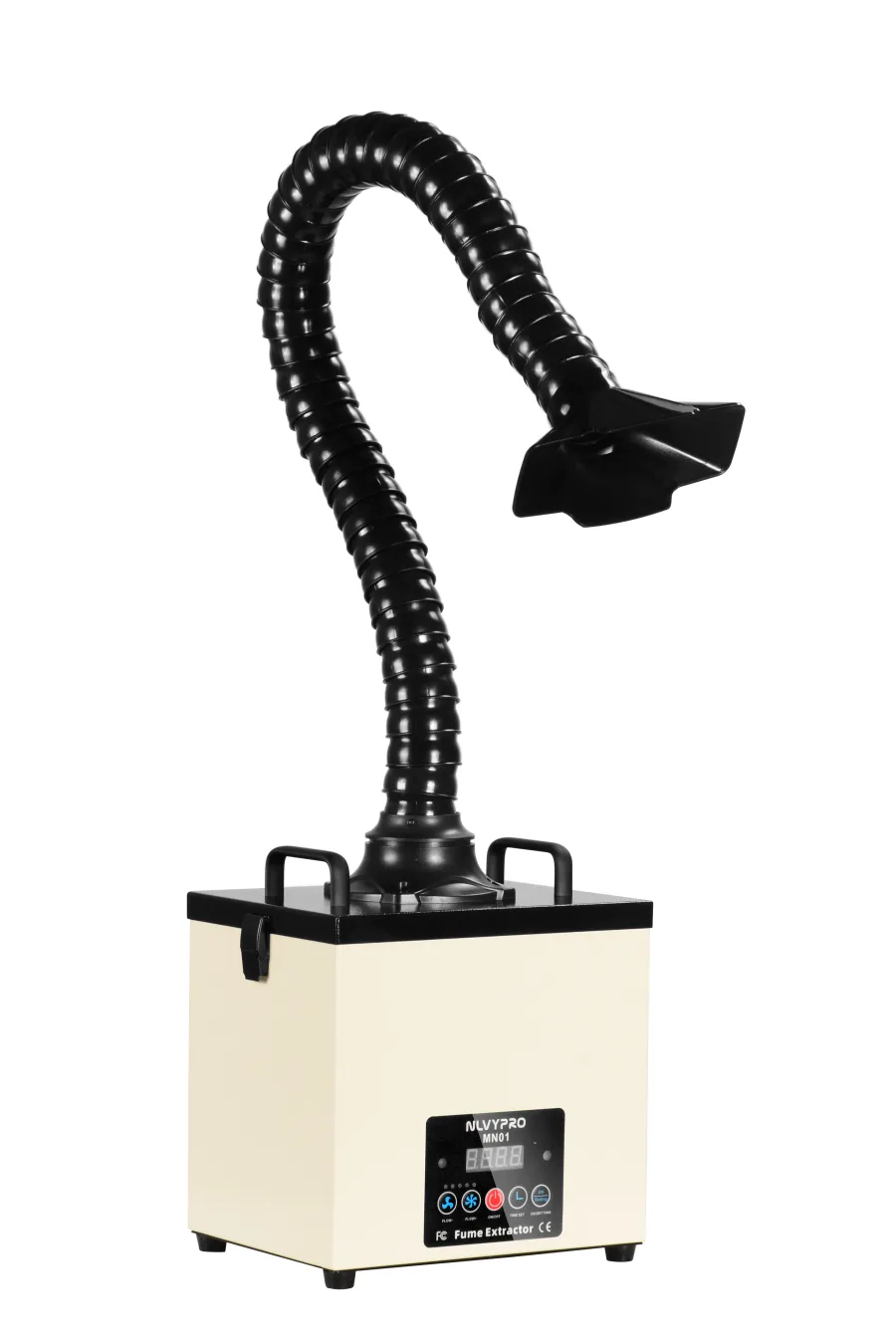
DESKTOP FUME EXTRACTION
Bring extraction closer
to your workstation.
Place MN01 on a desktop or beside your workbench. Its 105W motor draws smoke and dust through the capture hood and hose into a three-stage filter system for soldering, electronics repair and nail filing.
Specifications shown are for the documented 110V version. Confirm voltage and application suitability before ordering.
PRODUCT OVERVIEW
Position the hood near the fume source to suit your work area.
Pre-filter cotton, HEPA filter and odor / activated-carbon filter.
Front-panel operation and remote control.
MODEL INFORMATION
Confirm your material and operating conditions before choosing an extraction system.
| Model | NLVYPRO MN01 |
|---|---|
| Power supply | 110V AC |
| Rated power | 105W |
| Manufacturer-stated airflow | 155 CFM |
| Manufacturer-stated airspeed | Up to 19 m/s |
| Airflow display | S10–S100 |
| Body dimensions | 10.8 × 8.5 × 12.2 inches |
| Control | Front panel and remote control |
| Manufacturer | Dongguan Nenglang Environmental Technology Co., Ltd. |
Airflow and airspeed are manufacturer-stated values. Actual capture performance varies with the setting, hose and hood configuration, and filter condition.
A CLOSER LOOK
Actual MN01 photographs show the hood options, cover access and component layout.
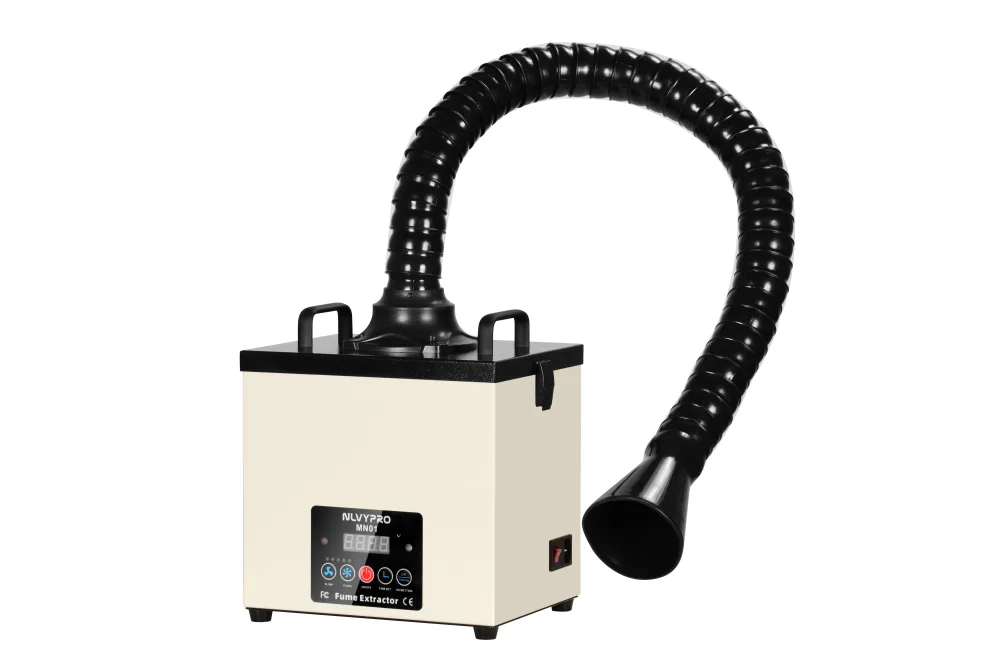
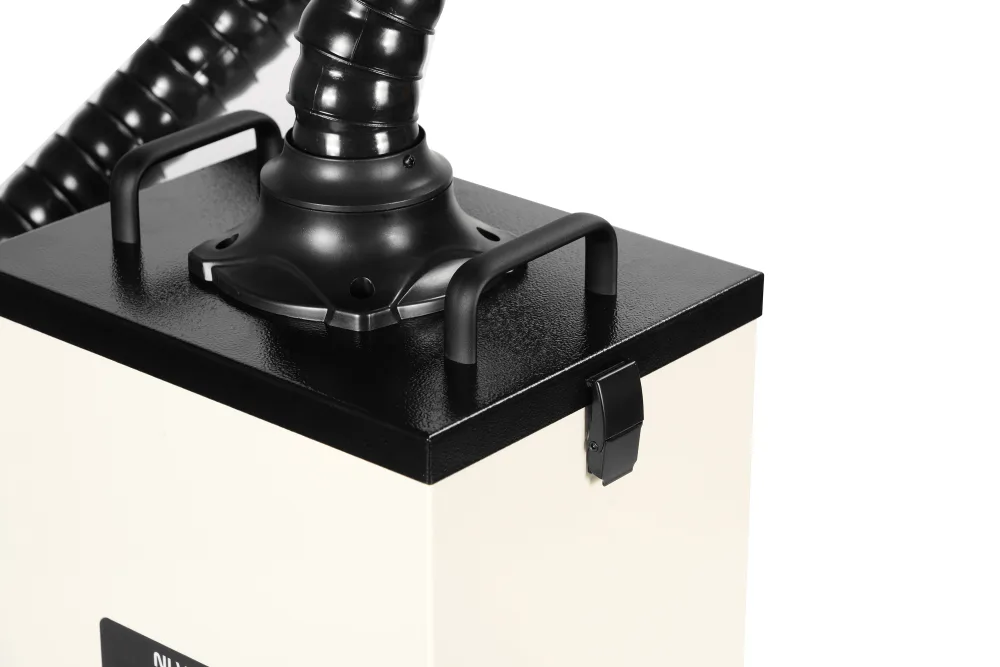
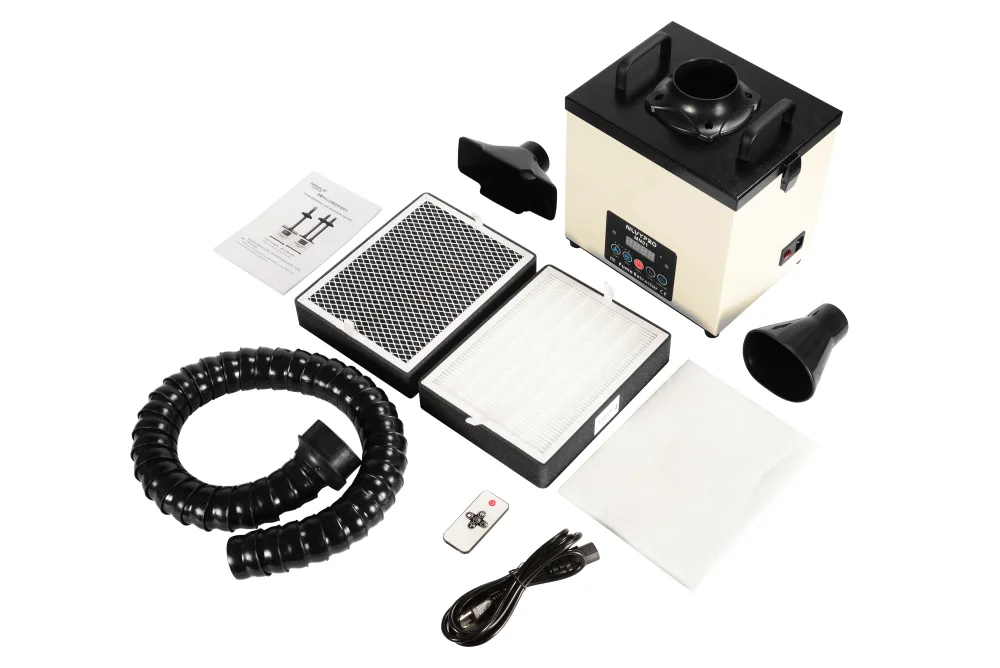
Standard package: main unit, 2 extraction hoses, two hood types, remote control, power cord and 10 spare pre-filter pads. Confirm the selected offer or quotation.
MN01 & MN01W / SHARED CONSUMABLES
MN01 and MN01W use the same compatible filter set. Identify each layer below when ordering replacements.


Replace loaded layers individually. Switch off and unplug before filter access, and follow the installation order and airflow direction in the manual.
THREE REPLACEABLE STAGES
Intervals are reference estimates; actual life depends on the environment and usage frequency. Replace layers individually: start with the first-stage pad, then check the remaining filters. A full-set replacement is not required.
Captures larger particles. Reference replacement interval: 7–15 days. Inspect frequently during dusty work.
Captures fine particles. Reference replacement interval: 4–8 months, depending on loading and usage frequency.
Helps adsorb odors and certain gaseous contaminants. Reference replacement interval: 8–12 months. Suitability depends on the substances present.
Odor reduction does not establish that air is safe. Match extraction and room ventilation to the material and process.
APPLICATION FIT
MN01 supports PCB soldering, electronics repair and nail-dust capture at individual workstations. Position the hood close to the source and match the setup to your working area.
Place the hood close to the soldering point and keep the airflow path clear.
Arrange the flexible arm so that extraction can remain close to the working area.
Capture dust near the filing point during nail shaping and electric filing. Position the hood close to the work area and inspect the pre-filter regularly for dust loading.
Keep the inlet unobstructed and check filter loading during use. For heavy dust loads or unfamiliar materials, contact us to confirm the extraction setup.
CONTROLS & POSITIONING
The digital display shows the current S10–S100 setting. Use the remote to switch the unit on or off and adjust airflow.
Round and rectangular hoods let you arrange the inlet for the task and available bench space.
A beeping alarm indicates filter saturation. Switch off and unplug before inspecting the layers. Replace the loaded filter to clear the alarm, following the manual.
SEE THE EQUIPMENT
Watch the demonstration, then refer to the manual for setup and maintenance.
SETUP & CARE
Read the manual before first use. Switch off and unplug the unit before opening the cover or changing filters.
Product Manuals ↗Confirm the voltage, filter order, hose connection and a clear airflow path.
Aim toward the source and avoid sharp hose bends or obstructions.
Use the panel or remote and review capture at the working position.
Check filter loading and airflow regularly. Follow the manual and ask for compatible replacement filters.
FACTORY SUPPORT & PRIVATE LABEL
Contact our team for warranty service and replacement arrangements. Provide your order details and describe the issue.
Customize the brand for your market. Send your logo and quantity to request an OEM quotation.
Discuss your preferred machine color with the factory. Confirm specifications and lead time in your quotation.
BEFORE YOU CHOOSE
PCB soldering and electronics repair are listed applications. Share your material, process, operating time and workstation layout so we can discuss the capture setup.
Do not assume the two models have the same exhaust arrangement. The shared manual identifies the optional outdoor exhaust configuration as an MN01W feature. Confirm the model and connections you need.
Place the hood near the nail filing point so dust is captured close to where it is generated. Keep hands, tools and accessories clear of the inlet. Inspect the pre-filter frequently and follow the manual for maintenance.
Reference intervals: pre-filter 7–15 days, HEPA 4–8 months and activated carbon 8–12 months. Actual life depends on the environment and usage frequency. Start with the first layer and replace individual loaded filters as needed.
Universal compatibility is not claimed. Share the laser, material and process, then check the applicable extraction and ventilation requirements before use.
Do not treat a desktop filter unit as proof that all airborne contaminants have been removed. Assess room ventilation and source capture for your process.
Use the MN01-specific Amazon link for the currently listed offer. For bulk orders, distribution or OEM private-label projects, contact the manufacturer with your market and requirements.
CHECK YOUR APPLICATION
Tell us your process, material and required quantity.